
Understanding User Roles & Permissions
NoSavvy is designed for teams, but not everyone on your team needs to see everything.
We use a specific permission system to ensure your technicians have the tools they need to do their jobs without accessing sensitive business settings or customer contact lists.
The 3 User Roles
Every user in your company is assigned one of three roles: Owner, Manager, or Tech.
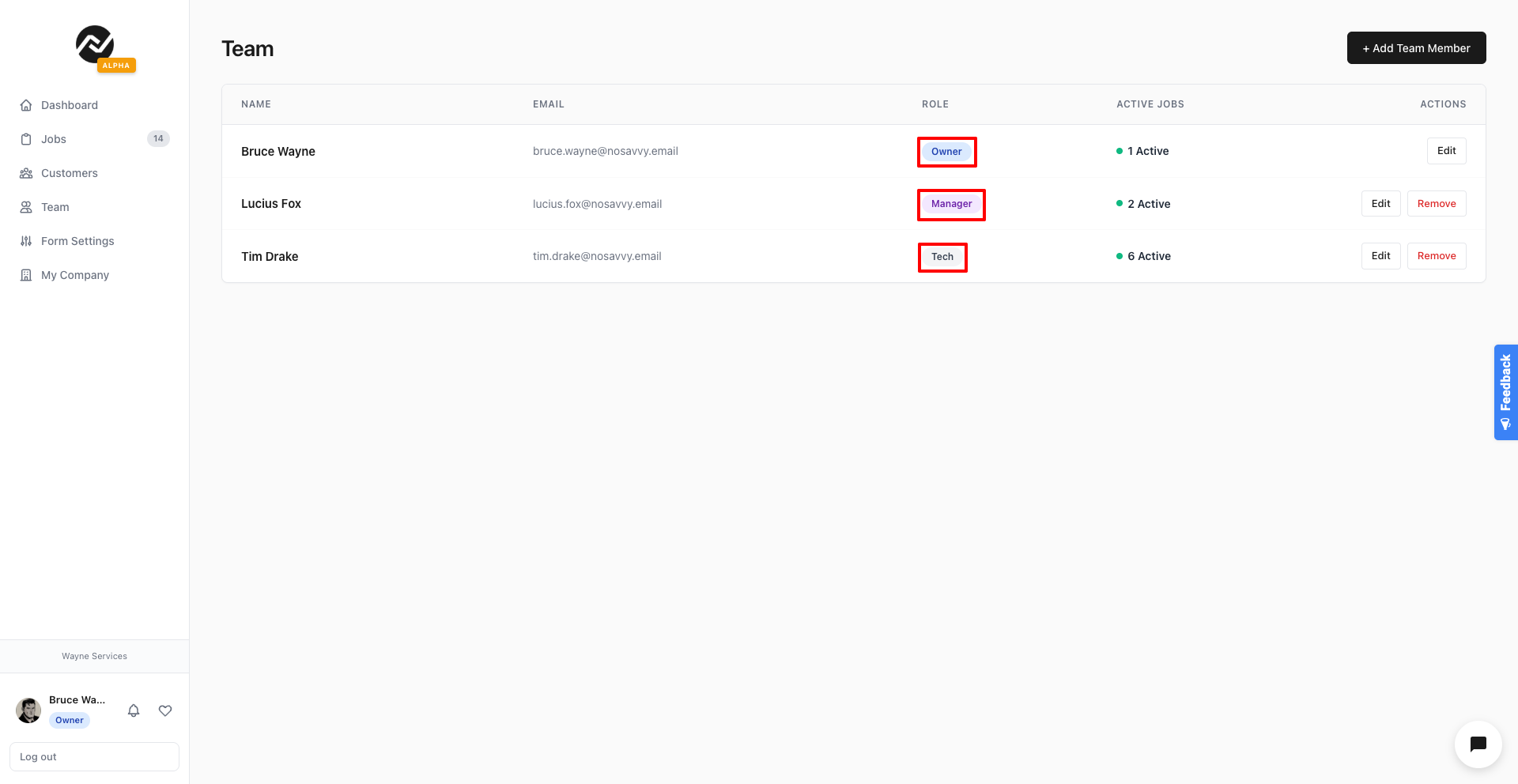
1. Owner
Best for: The business founder.
Access Level: Full Control.
Capabilities:
Create, edit, and delete jobs and customers.
Add or remove team members.
Access Company Settings (Billing, Business Name, Form Customization).
View all reports and revenue data.
Safety Feature: An Owner cannot be removed from their own company, preventing you from accidentally locking yourself out.
2. Manager
Best for: Office administrators or dispatchers.
Access Level: High.
Capabilities:
Create, edit, and delete jobs and customers.
View the full schedule and all team locations.
Invite new team members.
Restrictions:
Cannot access Company Settings or modify billing.
Cannot delete the company account.
3. Tech (Technician)
Best for: Field workers, cleaners, or contractors.
Access Level: Focused ("Tunnel Vision").
Capabilities:
View Only Assigned Jobs: They only see jobs where they are listed in the "Assigned Team" field. They cannot see the full company schedule.
Job Details: They can see the job address, time, and notes.
Checklists: They can complete and submit the Crew Job Checklist.
Restrictions:
Cannot see customer email addresses or phone numbers (privacy protection).
Cannot create or delete jobs.
Cannot see any billing or revenue data.
Role Comparison Summary
Owners Can:
✅ View & Create All Jobs
✅ View Customer Contact Info
✅ Edit Company Settings & Billing
✅ Manage Staff
Managers Can:
✅ View & Create All Jobs
✅ View Customer Contact Info
❌ Edit Company Settings & Billing
✅ Invite Staff (but cannot delete Owner)
Techs Can:
❌ View All Jobs (Assigned Only)
❌ Create Jobs
❌ View Customer Contact Info (Hidden)
❌ Edit Settings or Billing
Frequently Asked Questions
Can a user have different roles in different companies?
Yes. Because NoSavvy is multi-tenant, a user could be an Owner of their own cleaning business but also work as a Tech for a landscaping company on weekends. They use the same email and password to switch between companies instantly using the Company Switcher in the menu.
Can a Tech see other Techs' jobs?
No. To keep the mobile experience clean and focused, Technicians only see the specific jobs assigned to them for that day.
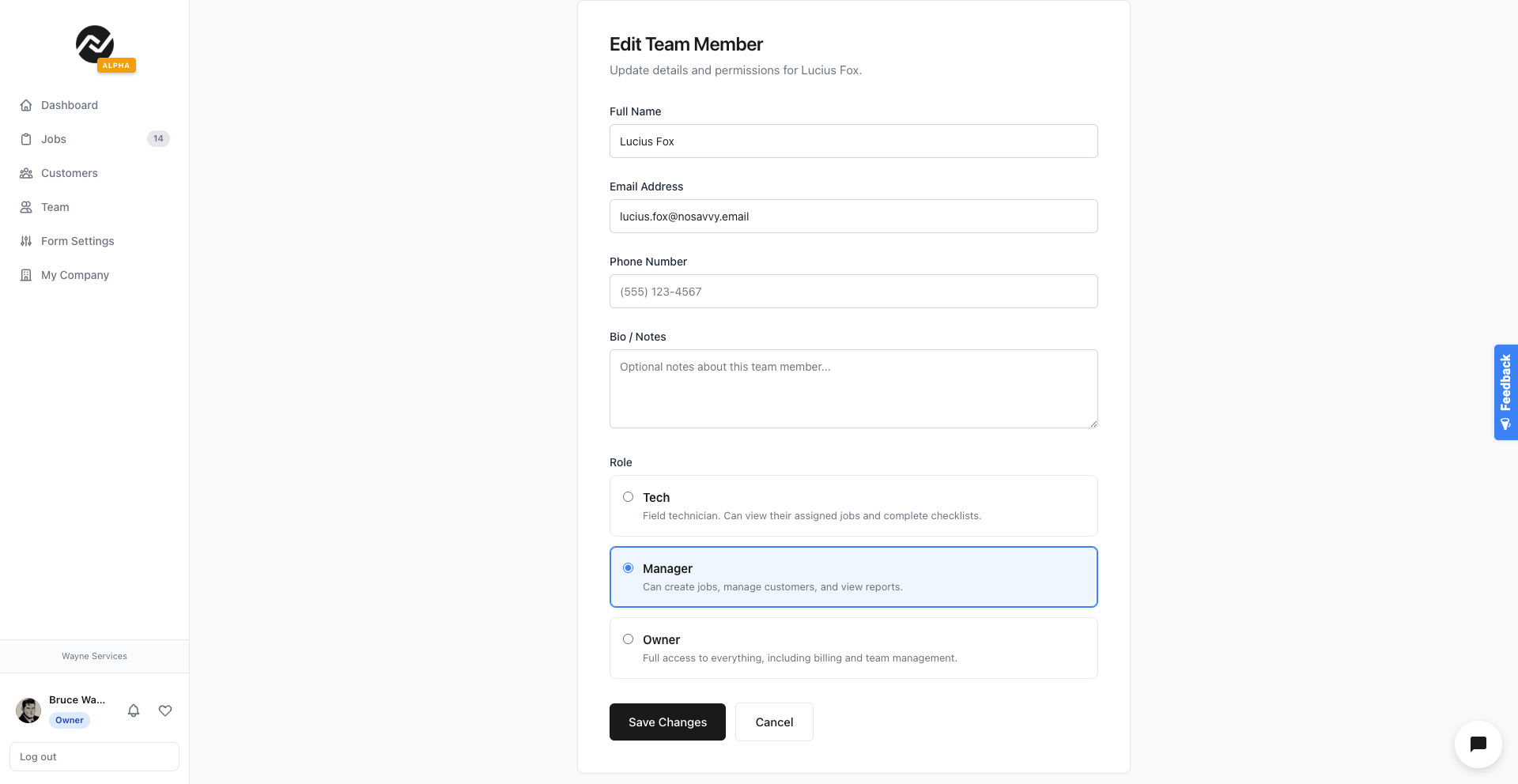
How do I change a user's role?
Go to the Team page in your dashboard.
Click Edit next to the team member's name.
Select the new role and click Save Changes.